How Eva works
A simple care flow for families who want clarity, not complexity.
Eva is designed to be easy to start, easy to monitor, and easy to trust.
Simple setup in three steps
The setup flow is built around consent, preferences, and a clear care circle.
Set up the account
Add your details, your loved one, and the people who should be notified if Eva spots concern.
Schedule the first call
Choose when Eva should make the consent and introduction call.
Start regular check-ins
Once consent is recorded, Eva begins the routine you have configured.
What happens during daily calls
- Eva checks in with natural conversation and adapts to the person's pace.
- Calls can cover mood, routine, medication reminders, and general wellbeing.
- Summaries and alerts are shared with the right people after the call.
What families see afterwards
- Fast call summaries for families
- Health and wellbeing trends over time
- Alert history and care-circle visibility
- Weekly summary emails or updates after every call
What the product looks like
A few screenshots make the experience more concrete. Click any image to expand it.
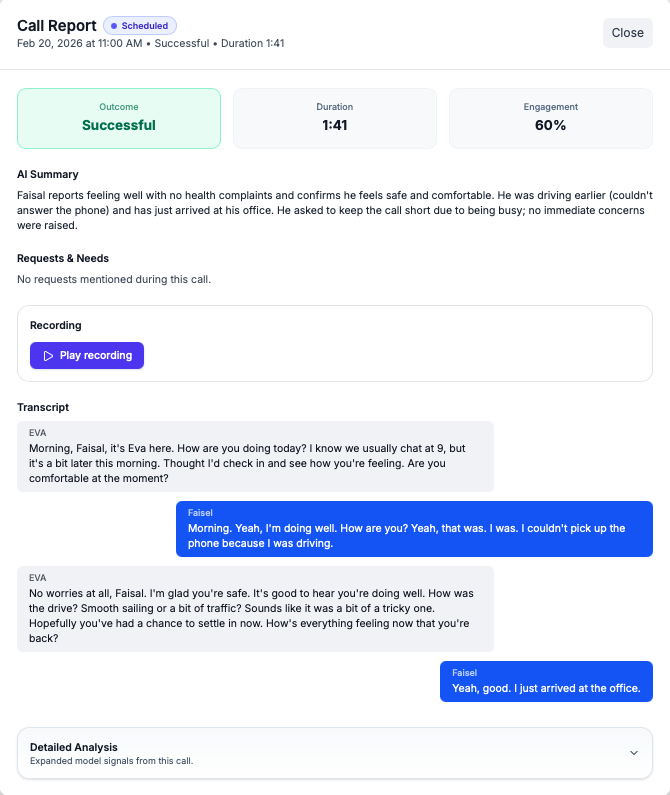
Call report overview
A single report brings together the conversation summary, key cues, and next steps.
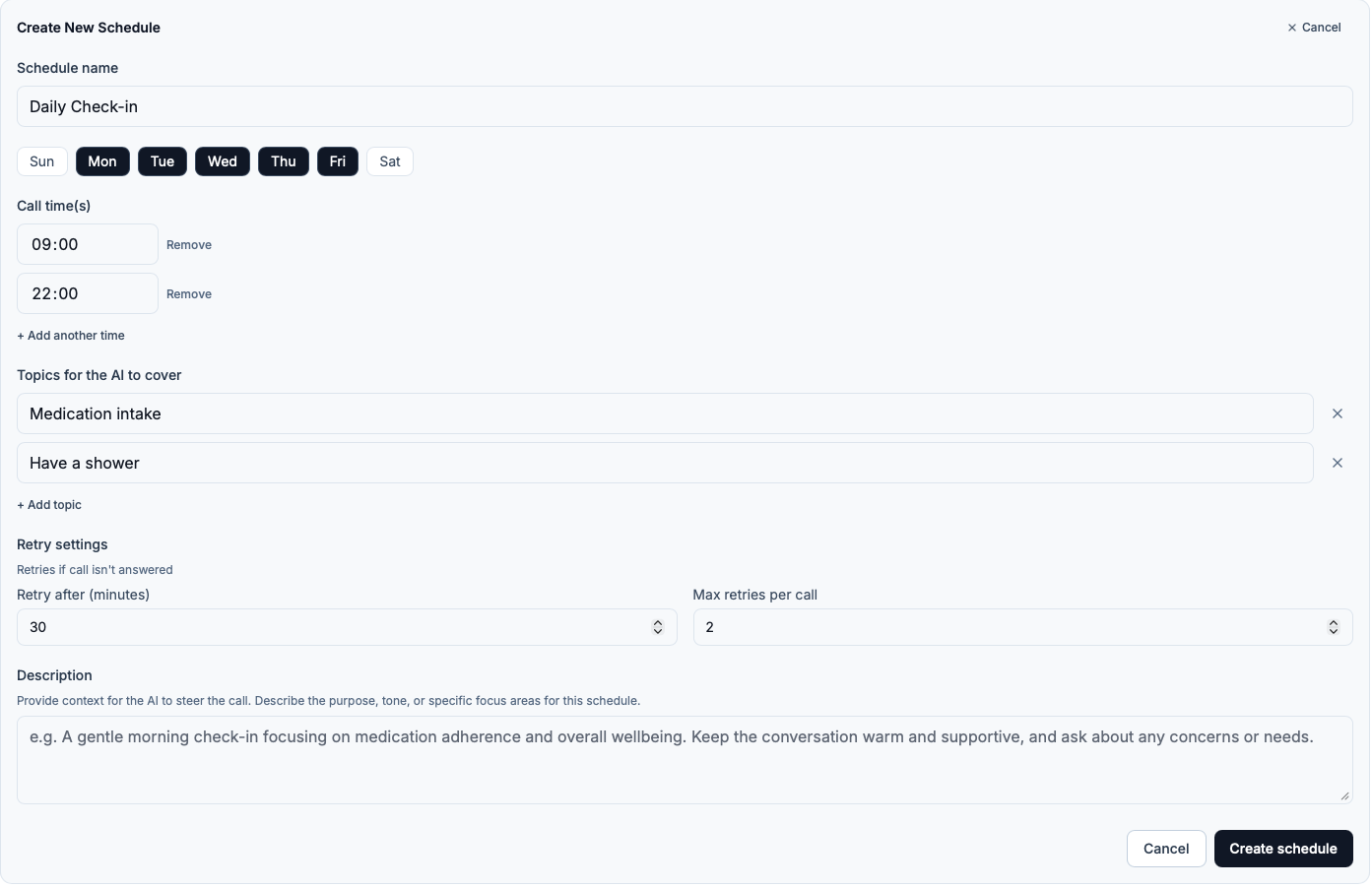
Call schedule setup
Choose when Eva calls and shape a routine that fits the person and the care circle.
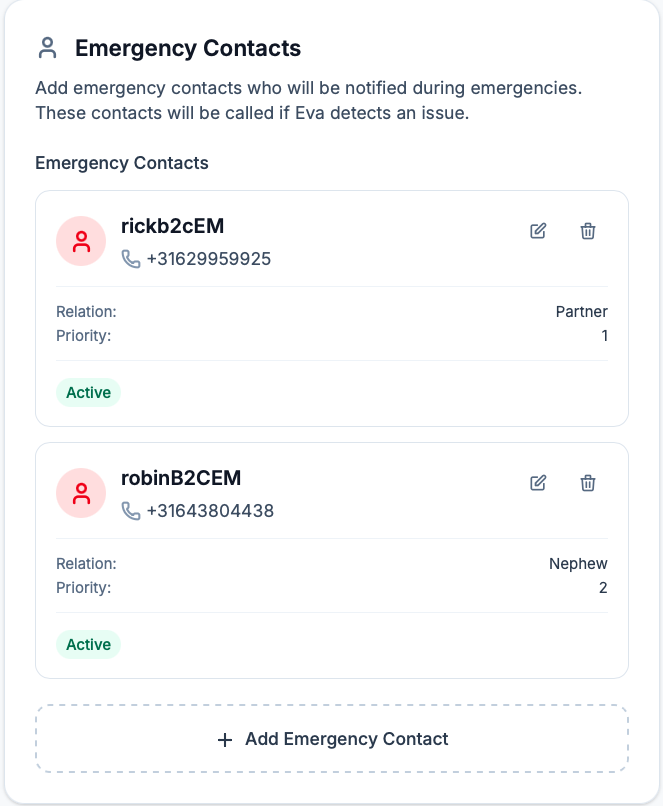
Escalation setup
Set the order of carers and family members who should be contacted when needed.
How alerts and escalation work
Eva is not an emergency service, but she is designed to surface concern quickly and notify the people you designate.
Detect
Eva listens for phrases, tone shifts, or missed routine cues that may need follow-up.
Alert
If the situation sounds serious, Eva contacts the emergency chain you set up.
Document
The dashboard captures what happened, what was flagged, and what comes next.
Ready to hear Eva for yourself?
The easiest way to understand the experience is to try the demo call.